
How to Use Setav
Run your services, bookings, payments, and clients from one place
Setav gives creators, freelancers, coaches, consultants, and other professionals one place to present their services, accept bookings and payments, collect client information, manage ongoing work, and sell digital products.
This tutorial takes you from setting up your Setav storefront to managing a complete client workflow.
Free to start · No website required · Set up from your phone
Get Set Up in a Few Steps
You do not need to configure everything before you start.
Start Here
Create Your Setav Bio-link Storefront
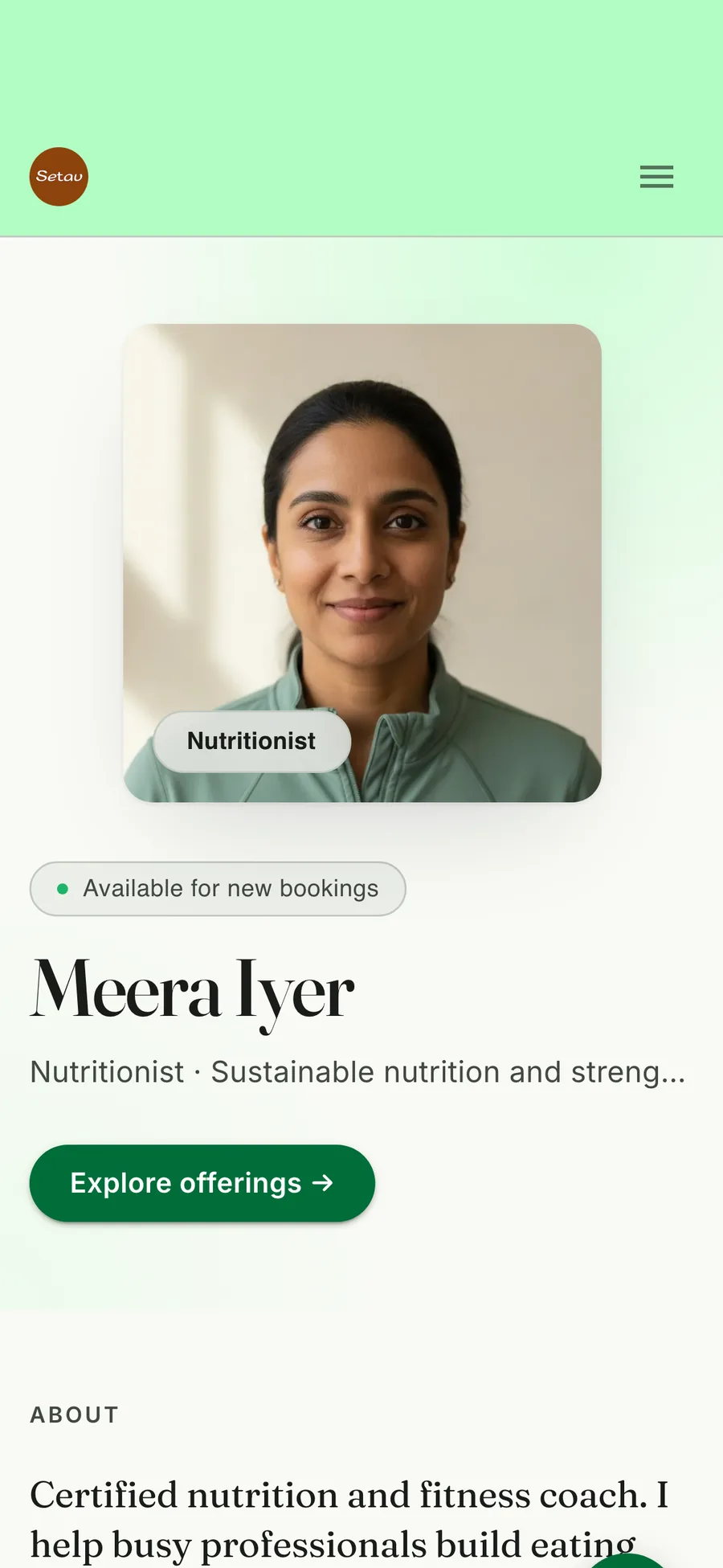
Your Setav bio-link storefront is the public-facing page where clients can learn about you, see what you offer, and take the next step.
Create your account
Sign up with your phone number and complete your profile.
Add the information you want visitors to see:
- Name: Your personal or professional name.
- Profile Photo: A clear photo that helps people recognise you.
- Bio: Explain what you do, who you help, and what people can book or buy.
- Profession: Choose the category that best describes your work.
- Theme & Page Details: Customise the look and information shown on your storefront.
Setav's storefront brings your professional information, services, booking options, links, and other offers together in one place.
Turn Your Expertise Into an Offer
Add Your Services
Once your storefront is ready, add the services you want clients to book.
Setav supports different service formats, including video calls, voice calls, and packages, with individual pricing, duration, and descriptions.
Select + Add Service.
Add the information relevant to your service:
- Service Type: Choose the format that matches the offer. Video Call / Voice Call / Package
- Duration: Set the length of a time-based service.
- Cover Image: Use an image that represents the service.
- Service Name: Make the name specific enough that a visitor immediately understands what they are booking.
- Description: Explain what the service includes and what the client can expect.
- Price: Set the price and choose the pricing/payment option available for the service.
Let Clients Choose a Time
Set Your Booking Calendar
Your booking calendar determines when clients can book your available services.
Setav lets you configure weekly availability, advance booking windows, breaks, and rescheduling controls. Clients then see the slots available for booking from your storefront.
Set your availability: Open your Calendar Settings and configure the days and times when you accept bookings. For example: Monday–Friday 10:00 AM–6:00 PM
You can then configure the scheduling rules that suit your working style.
Before sharing your link, check:
- Availability - Are your working days correct?
- Breaks - Have you blocked the times you do not accept appointments?
- Advance booking - How much notice do you need before a client can book a slot?
- Rescheduling - What booking changes should clients be allowed to make?
What happens next?
Your client opens your storefront, chooses a service, selects an available date and time, and completes the booking flow.
Setav also provides booking confirmations and reminders as part of its booking system.
Make It Easy to Get Paid
Accept Payments
Setav connects your storefront, services, bookings, and payment flow so clients can pay as part of their interaction with your business.
Current Setav payment options include
- Cash: Accept payment in person when that suits your business. No online payment step is required.
- UPI: Let clients pay using UPI through the payment details you provide.
- Pay via Setav: Clients pay directly through your Setav storefront, with the payment amount credited to your bank account within 2 working days.
- Connect Your Razorpay Account: Connect your own Razorpay account and have payments settled directly through Razorpay according to its applicable settlement schedule.
Set up your payment options
Choose the payment methods that work for your business and configure them through your Setav account.
You can then use payments with your services and request payments from existing clients when needed.
Your client journey
- Your Setav profile
- Your service
- Booking or purchase
- Payment
- Confirmation
For businesses using Razorpay, Setav states that payments can settle directly through the connected Razorpay account according to Razorpay's own settlement schedule.
The same flow can run on a website that takes bookings and payments.
From First Booking to Ongoing Work
Manage Every Client in a Shared Space
Getting a client is only one part of your workflow.
For ongoing work, Setav gives each client a dedicated Shared Space where you can continue managing the relationship.
Shared Spaces support client communication, notes, tasks, documents, updates, forms, and payment requests.
Add a Client
Clients who book through your Setav storefront can be added to your client list automatically. You can also add clients manually when needed.
Open their Shared Space
Open the client's profile and access their dedicated workspace.
From there, you can manage the ongoing relationship.
- Chat: Keep the conversation connected to the client relationship.
- Notes: Add session notes, observations, recommendations, or important updates.
- Tasks: Assign action items and track what needs to be completed.
- Documents: Share files and relevant client resources.
- Payment Requests: Request a payment when one is needed during the engagement.
Each client's Shared Space is separate, so information shared with one client is kept within that client's workspace.
Ask Once. Collect It in the Right Place.
Collect Client Information With Forms
Forms help you collect information you need from clients before or during an engagement.
Setav lets you create custom forms or start with available templates. Forms can also be connected to services or tasks.
Create a form
Create your own form or choose an available template.
Add the fields you need.
Common uses
- Client intake
- Project requirements
- Consultation preparation
- Feedback
- Progress updates
Use forms before a booking
For services that require preparation, you can attach a form to the service so clients provide the information you need before the appointment.
Turn Follow-up Into a Workflow
Assign Tasks and Keep Clients Moving
Not every client relationship ends when the call ends.
Use Setav tasks to give clients clear next steps.
Setav supports one-time, recurring, and untimed tasks, with descriptions, due-date options, and linked forms.
Create a task
Create a task manually or start from an available template.
Add the information your client needs.
- Title
- Description
- Form or Link
- Time / Due Date
- Recurrence
Example
Weekly Progress Check-In
Recurring · Weekly
Linked Form: Weekly Client Check-In
This works particularly well for professionals who give clients work between sessions.
- Coach: Weekly progress task
- Consultant: Project action item
- Freelancer: Content or approval request
- Trainer: Recurring check-in
Sell More Than Your Time
Sell Digital Products
Services are not the only thing you can offer through Setav.
You can also use your storefront to sell digital products such as guides, templates, recordings, and downloadable resources.
Create a digital product
Select + New Product.
Add the product information
- Name: Give the product a clear, specific name.
- Description: Explain what the buyer receives.
- Price: Set the price for the product.
- Product Image / Preview: Give visitors enough context before they buy.
Add the product
Upload the relevant downloadable asset or add the required paid link.
Review the information, save your product, and activate it when it is ready.
Your storefront can then bring your services and digital products together, giving visitors more than one way to work with you.
When a Storefront Needs to Become Your Website
Build a Dedicated Website With Setav Go Pro
Your Setav storefront can be the starting point for your online presence.
When you need a more complete branded website, Setav Go Pro can extend your storefront into a dedicated web presence.
Setav currently supports customisation options such as themes and branding, and connecting your own custom domain is available on request on a paid plan.
Your website can bring together,
- Professional Profile: Show your name, bio, profession, and other key details in one professional space.
- Services: Present your services, packages, pricing, and descriptions so clients know what you offer.
- Booking: Let clients view your availability and book your services directly from your website.
- Payments: Give clients convenient ways to pay for your services and other paid offers.
- Testimonials: Show genuine client feedback to build trust with potential customers.
- Business Information: Add the essential information visitors need to understand and connect with your business.
The advantage is that your website stays connected to the Setav ecosystem rather than becoming another separate system you need to manage.
From Discovery to Delivery
Your Complete Setav Workflow
Setav works best when you connect the individual features into one client journey.
Attract
Share your Setav link from the places where your audience already knows you.
Convert
Visitors see your profile, services, products, pricing, and booking options.
Book
Clients choose an available service and time.
Get Paid
They complete the available payment flow.
Onboard
Use forms to collect the information you need.
Manage
Use Shared Spaces, notes, files, chat, and tasks to keep the engagement organised.
Grow
Sell digital products, collect testimonials, and move to a dedicated website as your business grows.
One storefront. One client journey. One place to manage the work behind it.
Everything You Need to Run Your Business
Setav Features at a Glance
One Place for Services, Clients, Bookings, and Payments
- Present your professional identity
- Storefront
- List what you offer
- Services
- Let clients book
- Booking Calendar
- Accept payments
- Payments & Checkout
- Collect information
- Forms
- Assign client work
- Tasks
- Continue client communication
- Shared Spaces
- Share files and updates
- Shared Spaces
- Sell downloadable resources
- Digital Products
- Build a dedicated online presence
- Setav Go Pro
Frequently Asked Questions
Setav is a professional storefront and client management platform that brings services, bookings, payments, forms, tasks, digital products, and client interactions together in one place.
Create your account, complete your storefront, add your services, configure your booking calendar and payment options, then share your Setav link with your audience.
Yes. Setav includes a booking calendar where clients can select available dates and times for your services.
Yes. Setav currently supports UPI along with other payment options such as cards and wallets, depending on your payment setup.
Yes. You can create forms and attach them to services so clients can provide relevant information before an appointment.
Yes. Setav supports one-time, recurring, and untimed tasks, with options to link forms.
A Shared Space is a private client workspace where you can manage communication, notes, tasks, documents, updates, and payment requests with an individual client.
Yes. Setav supports digital products alongside services on your storefront.
Yes. Setav offers website capabilities through its Go Pro offering, including customisation, with custom-domain connection available on request on eligible plans.
Yes. Setav currently offers Android and iOS apps so professionals can manage their storefront and client activity from their phone.
Ready to Set Up Setav?
You do not need to build everything at once.
Start with your storefront, add your first service, set your availability, and share your link. Then build out your workflow with payments, forms, tasks, Shared Spaces, digital products, and a dedicated website as your business grows.
No credit card · Set up from your phone · Start in minutes
Turn conversations into customers with Setav's smart all-in-one professional storefront platform.
All Rights Reserved © Setav 2026